
Run billing, inventory, and customer dues in one free pharmacy management system.
KinetiRx is self-hosted pharmacy software for day-to-day operations: create GST invoices, control medicine batches and expiries, manage due-khata, and keep patient records on infrastructure you control. No monthly per-shop subscription.
Self-host it on a PC, NAS, or VPS with Docker Compose.
- 14 operational modules
- One-command Docker Compose deployment
- Your data stays in your PostgreSQL database
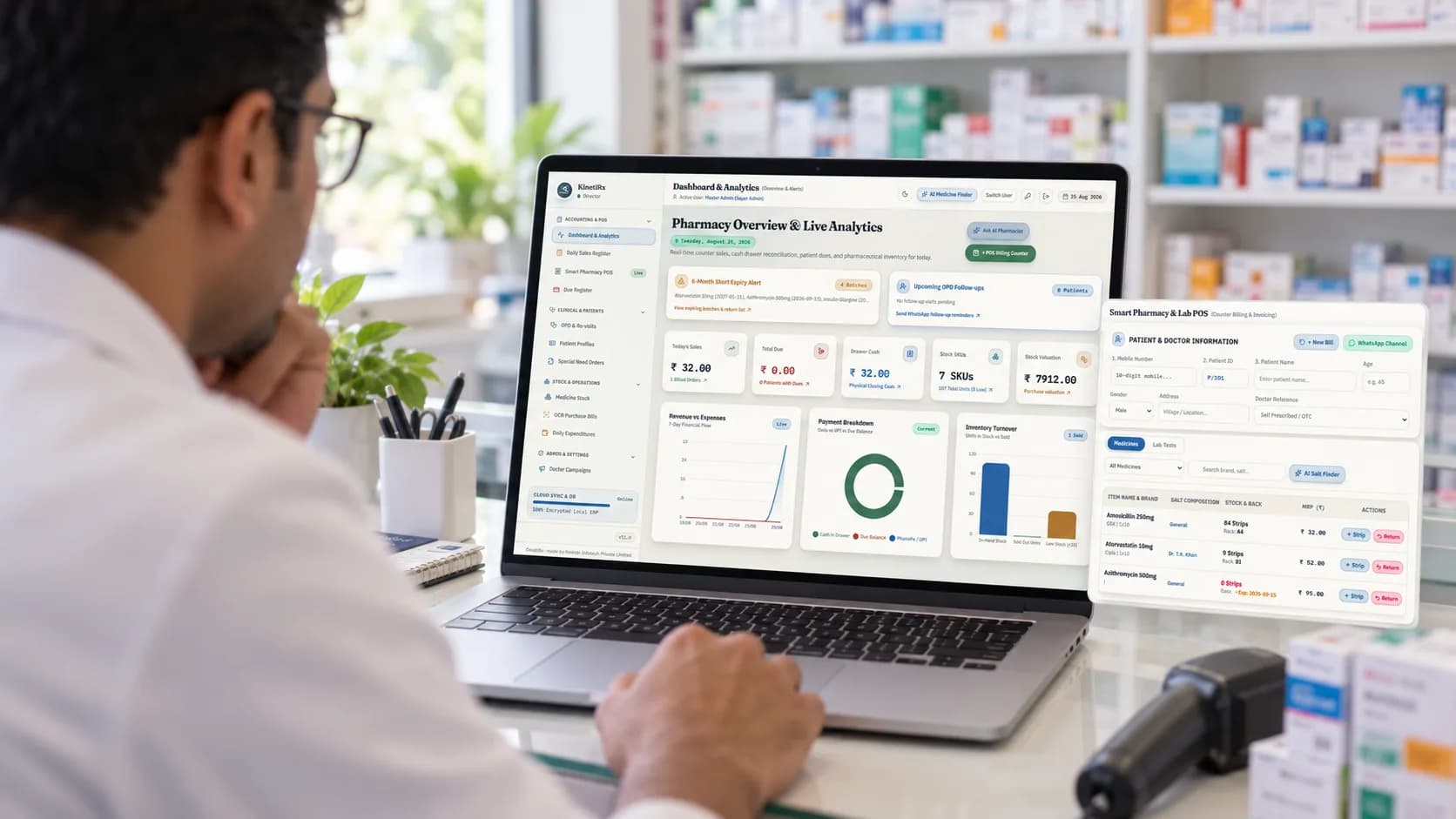
Built for the work behind an independent pharmacy counter.
- GST-ready POS billing
- Batch and expiry tracking
- Customer credit / due-khata
- Patient records and OPD visits
- Free to use; self-hosted by you
From an incoming bill to a clean close of day.
KinetiRx connects the tasks a pharmacy handles every day, so the sale, stock level, patient history, and cash record stay aligned.
- 1
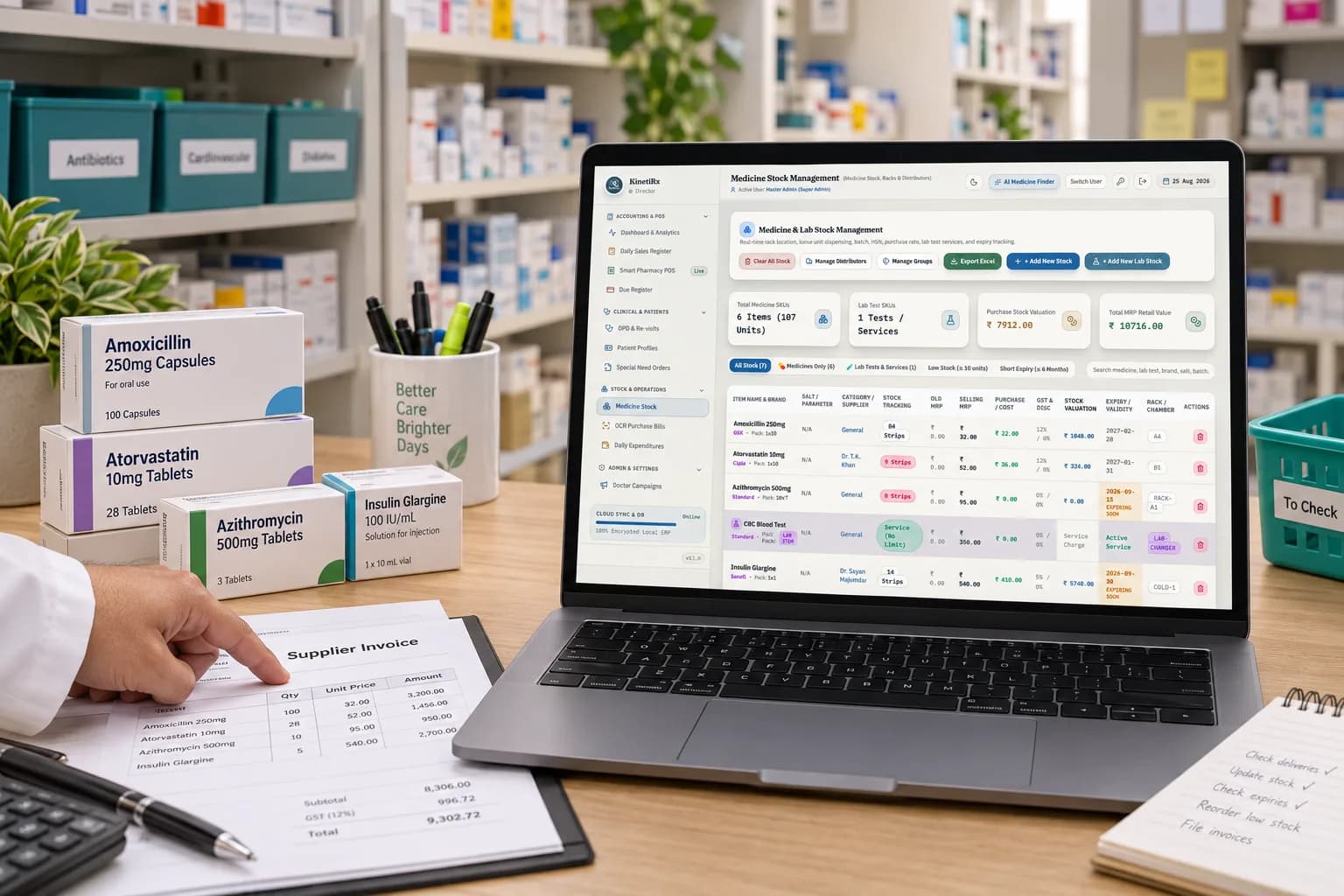
Receive stock
Add a distributor purchase bill manually, or upload it to Inward OCR. Review extracted medicine, batch, expiry, quantity, and rate before it changes stock.
- 2
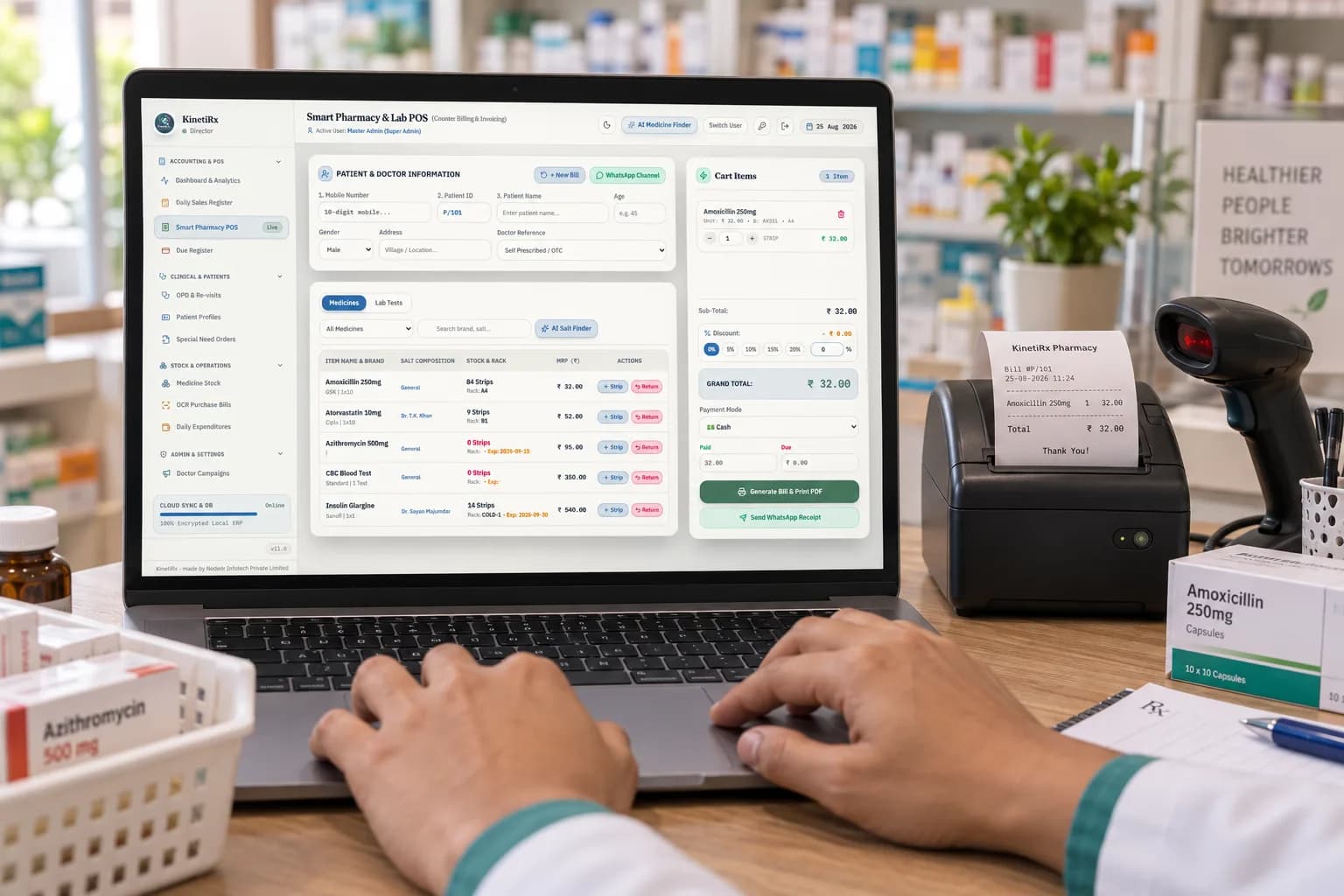
Bill at the counter
Search medicines, dispense strips or loose units, and issue a GST invoice with live totals. Record cash, UPI, or card payment.
- 3
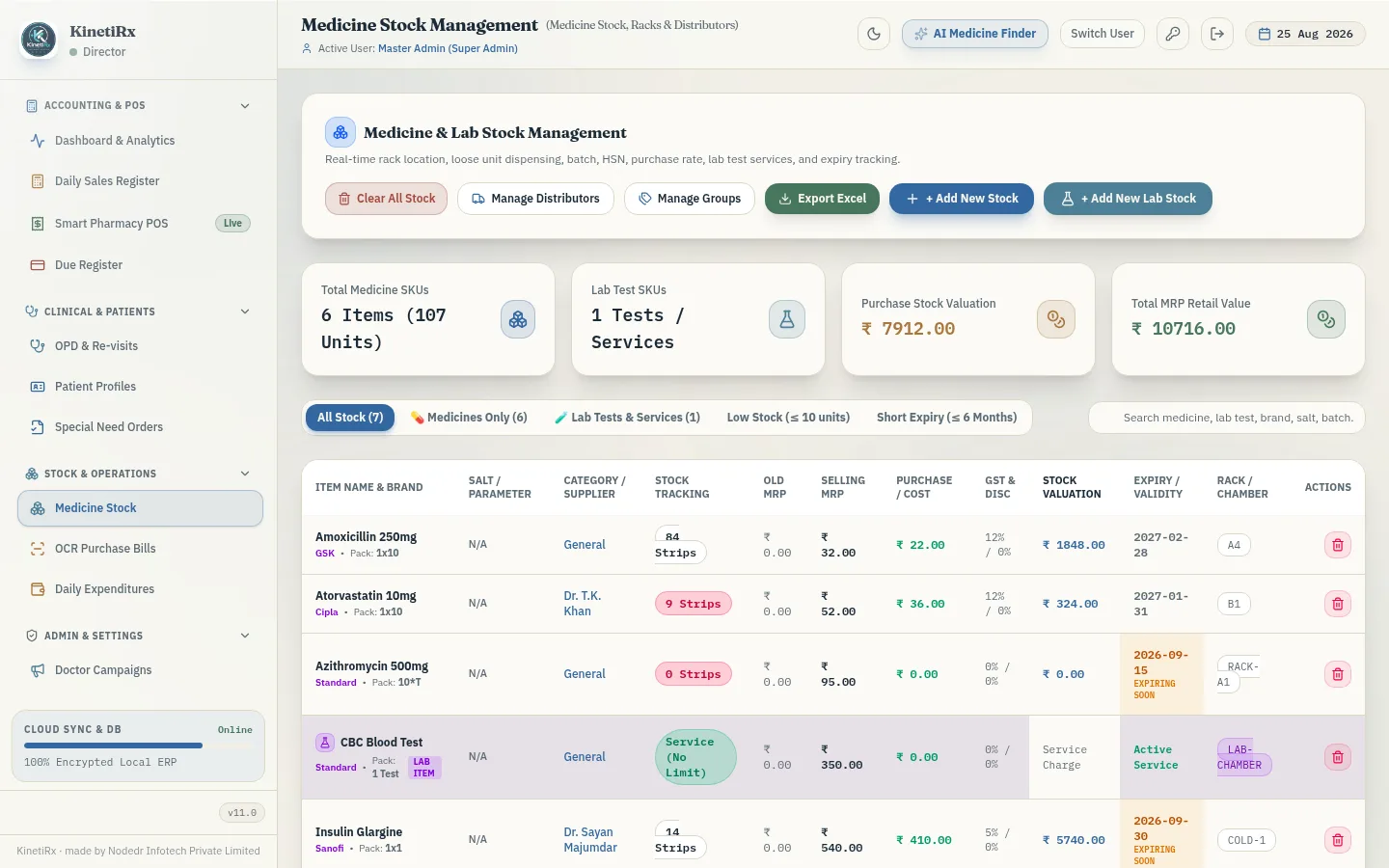
Keep records current
Track expiry, rack location, distributors, patient history, and due-khata from the same system of record.
- 4
Close with confidence
Reconcile opening cash, denominations, payment split, expenses, and closing difference—then see the day’s numbers on the dashboard.
Clear screens for the work you do most.
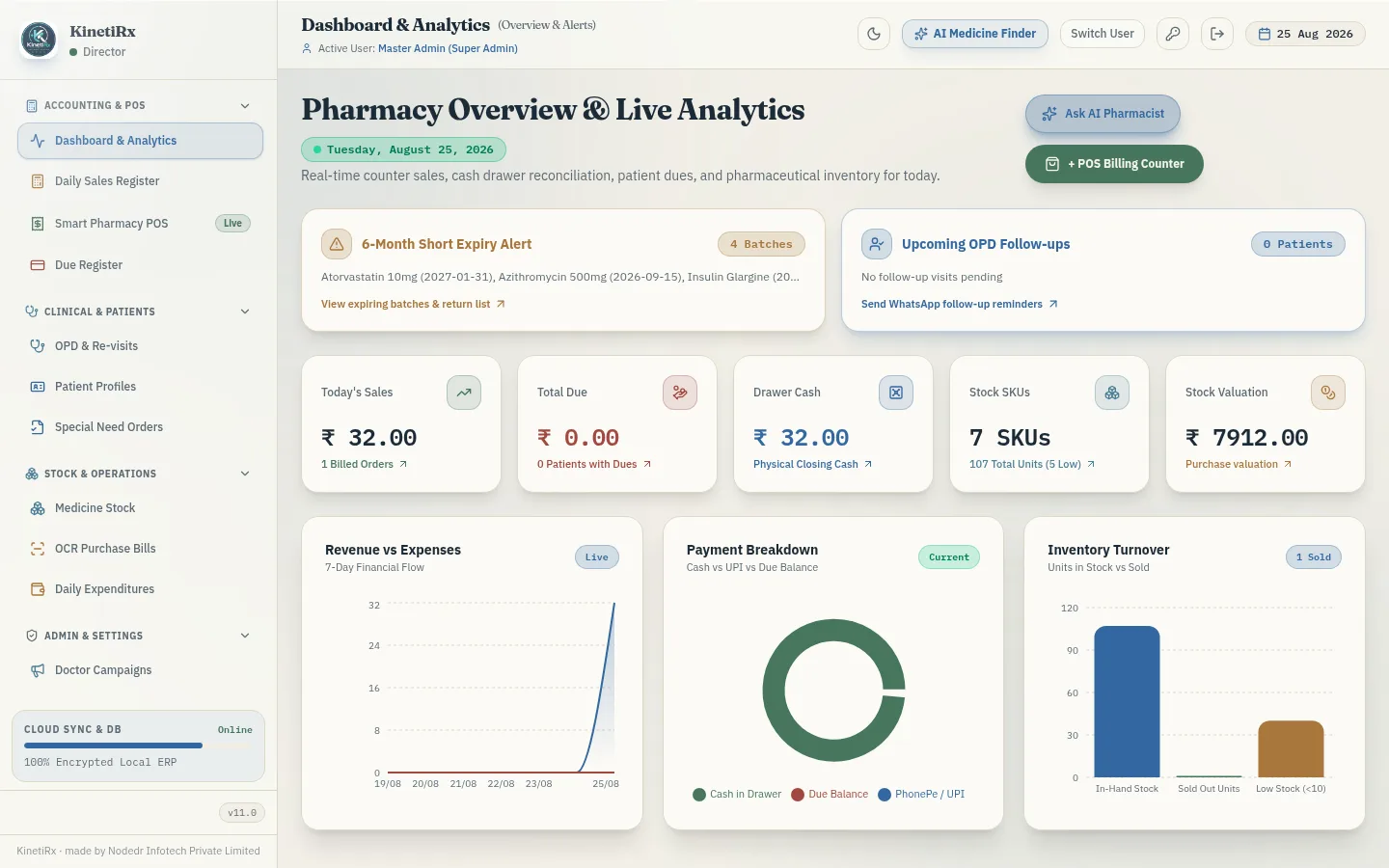
Start every day with the pharmacy dashboard
Use it to review today’s sales, drawer cash, stock valuation, and the last seven days of financial flow before the counter gets busy.
Create a GST bill while serving a customer
Search a medicine, adjust strip or loose quantity, confirm the payment method, and print or save the GST invoice from one checkout screen.
Catch inventory issues before the shelf is empty
Use batch, expiry, rack location, and distributor information to know what is in stock and what needs attention.
Find a patient’s history without digging through paper
Open a patient profile to view visit history, purchases, outstanding dues, and doctor assignment in context.
Make due-khata searchable and auditable
Record a credit sale, view the current balance, and log partial payments with a timestamped history.
One system for pharmacy operations—not a spreadsheet with more tabs.
Bill accurately at the counter
POS checkout, GST invoices, loose/strip dispensing, invoice settings, and printer configuration.
Learn moreProtect stock value
Batch and expiry tracking, distributor records, inventory, and medicine ordering.
Learn moreManage customer credit
Due-khata balances, partial payments, searchable history, and reminders where configured.
Learn moreKeep patient context together
Profiles, purchase history, OPD visits, blood-test tracking, and follow-up reminders.
Learn moreFinish the day cleanly
Opening cash, denominations, payment split, expenses, and reconciliation.
Learn moreGive staff only the access they need
Role-based accounts and server-enforced permissions.
Learn more
Turn purchase bills into reviewable stock entries.
Upload a distributor bill as a photo or PDF. Optional Inward OCR extracts line items, batch numbers, expiry dates, quantities, and rates; you review the rows before stock is updated. Without a Gemini API key, standard manual inward entry remains available and the rest of KinetiRx works normally.
- Extracts line items, not just a total — batch and expiry included
- Staged for review before anything commits to stock
- Optional — bring your own Gemini key, or skip it entirely
Scanned bill
Amoxicillin 500mg
AMX-2291 · exp 11/2027 · qty 120
Insulin Glargine
INS-0087 · exp 03/2026 · qty 18
Metformin 500mg
MET-5510 · exp 09/2027 · qty 300
Extracted rows
Your pharmacy data stays on infrastructure you control.
No recurring per-shop SaaS fee
KinetiRx is free to use; you cover only your own hardware or server cost.
Your database
Sales, inventory, patients, and dues run in PostgreSQL that you operate.
Works locally
Core pharmacy workflows run without a third-party cloud dependency. OCR is optional and only contacts Gemini when you provide and configure that key.
Your upgrade schedule
Deploy and update on your own schedule.
Download KinetiRx and start on your own server.
KinetiRx runs as three containers — PostgreSQL, the Go backend, and the frontend — through Docker Compose. A CasaOS App Store manifest (x-casaos v2) is also included in the repository for NAS owners; it isn’t published to the CasaOS store yet, but plain Docker Compose works on a CasaOS box today.
Get the code
Clone KinetiRx from GitHub onto the machine that will run it — a spare PC, a home server, or a VPS.
Set initial admin & database secrets
Copy the environment example and set a Postgres password, a JWT signing secret, and your first admin password. A Gemini API key is optional, for AI invoice OCR.
Start the stack
Run the documented Docker Compose command. PostgreSQL, the Go backend, and the frontend start together, and first-run migrations create the application database.
Technical installation steps
Quick-start script (installs Docker and clones the repo for you)
Installs Docker Desktop and git via Homebrew if either is missing.
Or do it manually
Clone the repository
Get the source onto the machine that will run it — a spare PC, a home server, or a VPS.
$git clone https://github.com/Raktim94/KinetiRx.git$cd KinetiRx
Configure secrets
Copy the example env file and set a Postgres password, a JWT signing secret, and the first admin password. A Gemini API key is optional — add it later to enable AI invoice OCR.
$cp deploy/.env.example deploy/.env# edit deploy/.env: POSTGRES_PASSWORD, JWT_SECRET, KINETIRX_ADMIN_PASSWORD
Start the stack
One command brings up PostgreSQL, the Go backend, and the nginx-served frontend together. Migrations run automatically on first boot.
$docker compose -f deploy/docker-compose.yml --env-file deploy/.env up -d --build
Full environment variable reference and the REST API contract live in the repository’s README and documentation.
Why choose KinetiRx instead of a spreadsheet or hosted subscription?
Ongoing cost
Data stays on your server
GST-compliant POS billing
Batch/expiry inventory
Due-khata credit ledger
Patient records & OPD
AI invoice OCR
Role-based staff accounts
No vendor lock-in
Comparisons reflect typical hosted-SaaS pharmacy software; specific vendors vary.
Common questions
KinetiRx (Pharma Care Pro) is built and maintained by NODEDR INFOTECH PRIVATE LIMITED. It is self-hosted software with no current open-source license — the source is visible on GitHub, but reuse or redistribution should go through the maintainer.
Official website: www.nodedr.com
Ready to replace scattered pharmacy records with one system?
Get KinetiRx free, deploy it on infrastructure you control, and run billing, stock, customer dues, and patient records from one place.